Succeed as a Clinic Manager

Introduction
You’ve just started your role as clinic manager at a new practice. You want to make a strong impression, specifically by overcoming three common clinic inefficiencies, which you’ve noticed at your practice — automating front desk operations, simplifying corporate billing, and using structured workflows to deliver value-based care. How could you add value in these areas easily and quickly? Plato’s white paper, “Succeed as a Clinic Manager”, shows you how.
After helping thousands of healthcare providers start and grow their clinics, Plato understands what workflows perform best when managing a practice — benefitting not only your staff, but also patients. Get ready to tap into Plato’s expertise as Singapore’s most popular web-based clinic management software, and excel as a clinic manager using solutions unique to the Plato platform.
This white paper is especially useful if you are:
- A clinic manager aspiring to excel in their role
- A doctor starting a new clinic team
- A clinic new to Plato and/or seeking to onboard new staff quickly
Throughout this white paper, you’ll find links to Plato’s help guides, enabling you to quickly set up Plato’s high impact automations at your clinic in no time.
Table of Contents
CHAPTER 1
Run a Contactless Clinic
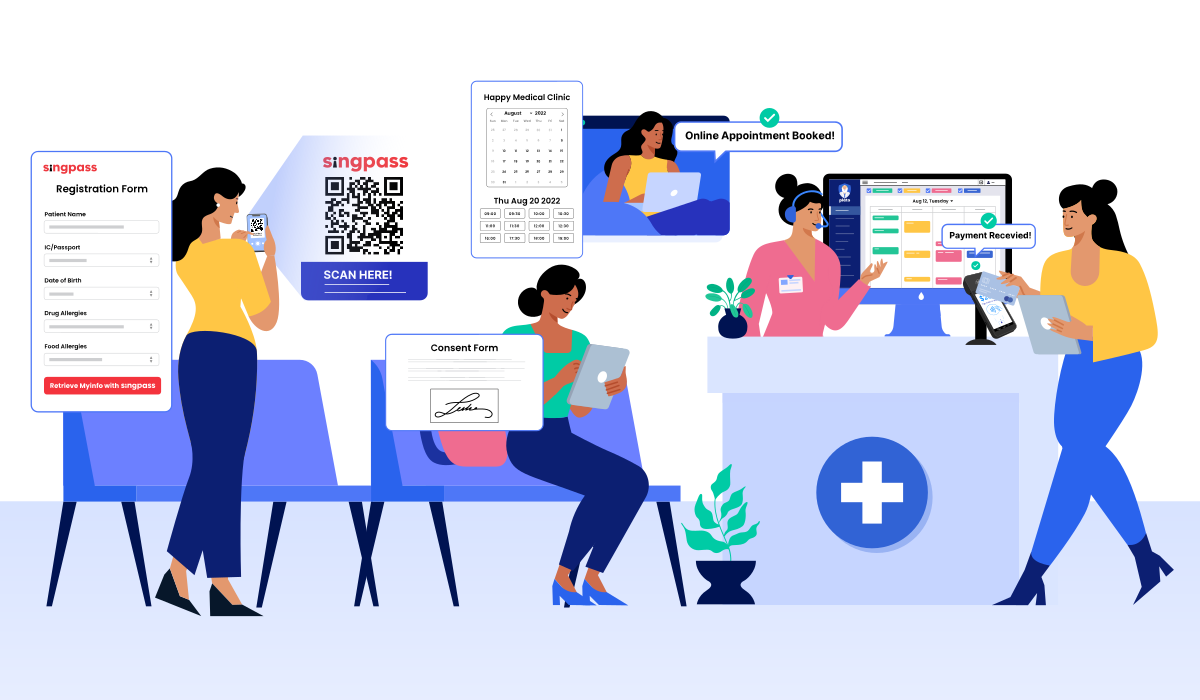
You’ve just started a new role: clinic manager. You want to make some fast and easy improvements to your practice, where processes are slow and creating more work for your team. Currently, your clinic’s front desk resembles this scene: piles of paper clutter the desk. Instead of attending to patients, staff must prioritise scanning lab/radiology results and transferring patient data from paper to clinic software. Patients must call your clinic to book their appointments, but staff can’t answer the phone while serving patients in the clinic. Since your clinic is unreachable, frustrated patients book their appointments online at another practice instead.
As a new clinic manager, you want your staff and patients to be happy - in other words, you want efficient and streamlined operations. Improved processes result in a better patient experience, a boosted clinic brand, and ultimately, a greater volume or value of patients.
This white paper gives you three key workflows to immediately bring value to the clinic you’ve just started managing by using Plato. In chapter 1, you’ll learn the impact on patients and staff when you automate as much work as possible by Running a Contactless Clinic. In chapter 2, you’ll discover how to simplify corporate billing by managing it in Plato. In chapter 3, you’ll discover why and how to use structured workflows to deliver value-based care. Let’s begin with running a Contactless Clinic.
In Chapter 1, you will learn:
- Why Run a Contactless Clinic - Automation helps your clinic make a strong first impression on patients and manage more without stretching your team.
Attract a higher volume of patients
Bring in more patients by making it easy for them to book appointments at your clinic - anytime, anywhere.
Increase meaningful interactions with patients
Want more time for meaningful patient interactions? Reduce work for patients and staff by speeding up patient processing.
-
Strengthen relationships with your patients by ensuring they clearly understand the treatment they are going to receive.
Eliminate reconciliation errors
Say goodbye to data entry errors at the source when billing, saving hours of reconciliation work for your team.
- How to Run a Contactless Clinic using Plato - Easily set up your own Contactless Clinic with support from Plato’s step-by-step guides.
Why Run a Contactless Clinic?
A Contactless Clinic aims to remove physical touch points between patients and staff. If a staff passes an item to a patient - this is a physical touch point. Common physical touch points include passing a paper form to patients at registration or handing the patient a payment terminal. Eliminating physical touch points automates work. If a patient can self-register with a scan or your team can control their payment terminal from Plato, not only is your clinic contactless, but work also gets automated. A clinic that lacks physical touch points does not lack the human touch - some providers think an automated clinic might seem impersonal, but this can’t be further from the truth. Clinics that invest in automation give their staff time to build patient relationships and manage more without stretching their team.
Since the patient journey starts pre-visit, creating a strong first impression by automating your front desk is important. Imagine you’re a patient. Which clinic would you trust more - one with an automated front desk or one struggling with organisation? At a Contactless Clinic, you’re clear on what needs to be done before your appointment, like registering online or signing your digital consent form. By completing these tasks before your visit, your wait time in the clinic is reduced, streamlining your in-clinic experience and giving you an organised impression of the practice. By contrast, a clinic with a disorganised front desk would make you feel anxious. Run a Contactless Clinic to improve your patient volume, meaningful patient interactions, patient trust, and eliminate reconciliation errors.
1) Attract a higher volume of patients
Patients prefer clinics that let them book appointments online (Healthgrades, 2016). If your clinic doesn’t have online appointment booking, patients will opt for a clinic that does. Patients value convenience. Unlike phone bookings that are time-consuming and accessible only during clinic hours, online appointment booking is instant and accessible 24/7. Patients feel frustrated when they can only call during clinic hours, which is the same time they work. Imagine a patient with a hectic full-time job. Calling your clinic at work is inconvenient. They are more likely to book their appointment online, since it can be done quickly at any time (Hedges, 2021). This is even true of older patients - according to research by Accenture (2019), patients of all ages choose clinics that offer online appointment booking. But it’s not just patients who benefit, your staff do too. Online appointment booking automates scheduling for your front desk team - reducing work so they can focus on higher level tasks like patient care, making it win-win for both patients and providers (P. Zhao et al., 2017).
Benefits of online appointment booking:
- Expands your clinic’s reach online to a wider pool of patients
- Lets patients book their visits to your clinic anytime, anywhere
- Reduces work for your staff by eliminating manual scheduling
Overview: How Plato’s Online Appointment Booking works
-
01
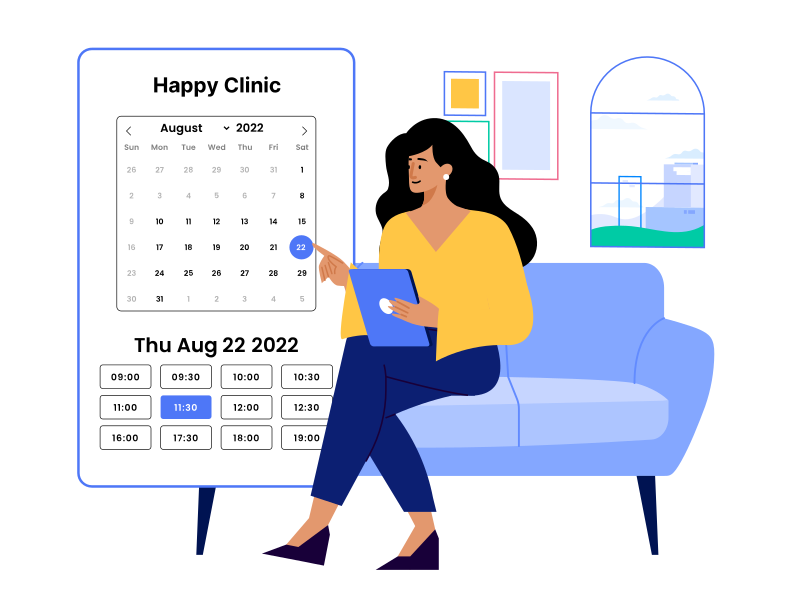
Patient chooses their appointment time
from a list of available slots. Your clinic can block slots, set appointment lengths, match calendars, and allow bookings up to a certain number of days into the future.
-
02
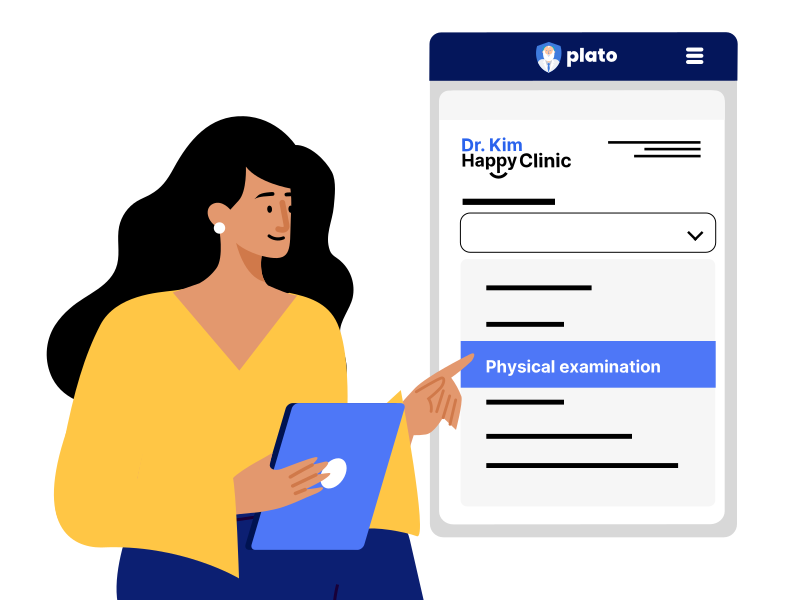
Patient selects clinic service.
From a dropdown list, your patient will choose the clinic service they wish to book. Your clinic can require the patient to put a credit card on file to finalise the appointment booking.
-
03
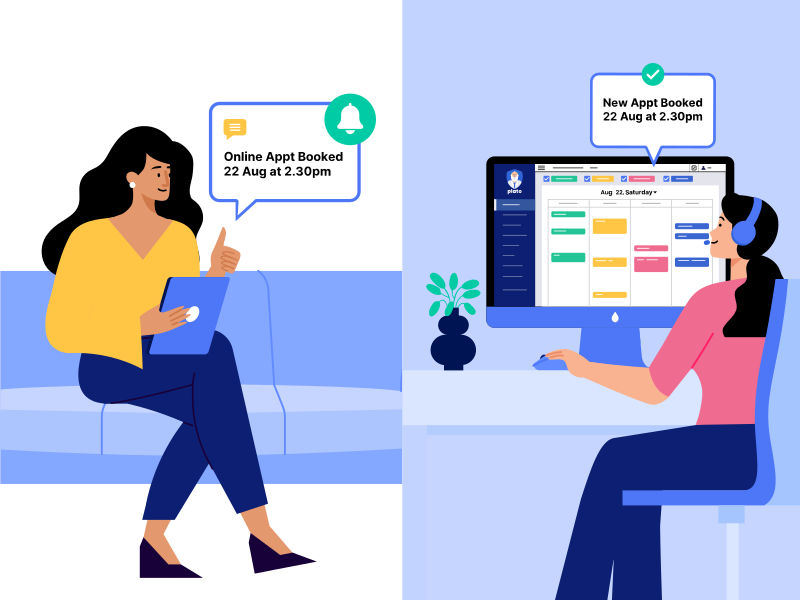
Appointment booking is confirmed.
Both your patient and clinic will get an appointment confirmation email. The booking is automatically saved into your Plato’s calendar. Staff don’t need to do any scheduling.

Help guide:
2) Increase meaningful interactions with patients
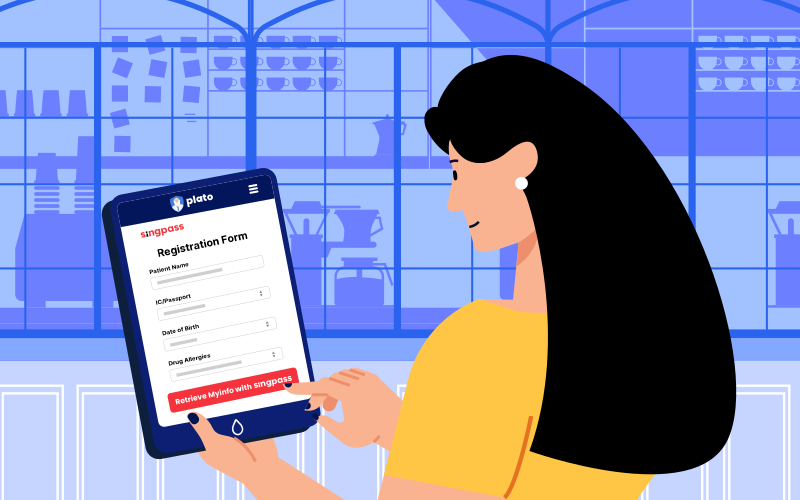
Nobody likes filling up forms. Instead of having patients and staff do admin work at your clinic, give them both the time to engage in quality interactions by automating patient registration. Manual patient registration is slow and error-prone: first, the patient might write illegibly or misremember their details when filling up a paper form. Then, your front desk staff could mistakenly copy over details while transferring the patient’s registration data from paper to software. With Plato, patients can automatically pre-register from home or self-register at your clinic using their Singpass, ensuring error-free details are submitted to your Plato. Since online registration is fast, accessible anywhere, and capable of reducing patient wait times by up to 80%, it’s no wonder more than half of patients prefer online registration to paper (HotDoc, 2020; Syed, 2022). It’s not just patients who benefit - digital registration saves 30% in data processing time, reducing work for your front desk team (Syed, 2022).
Benefits of pre- and self-registration:
- Eliminates data entry for staff and patients
- Improves registration speed and accuracy
- Shortens patient wait times at your clinic
- Lets you run a paperless and organised front desk
- Allows you to send patients digital consent forms with their online registration forms
Overview: How Pre- and Self-Registration works in Plato
Pre-registration
Self-registration

1) Patient pre-registers from home.
When your clinic sends a patient their appointment confirmation/reminder, they will see a button to pre-register. Choosing “Pre-fill with Myinfo” will take them to the Singpass login page.
1) Patient self-registers at clinic.
When the patient arrives at your clinic’s front desk, they will scan a physical QR code, which your clinic has printed from Plato. Scanning the QR code will take the patient to the Singpass login page.
2) Patient logs in to their Singpass.
After your patient logs in, Singpass will show the patient the data that will be sent to your clinic. Singpass will seek the patient’s consent to share this data with your practice.
3) Patient consents to data sharing.
Once the patient gives consent, their biodata will be sent to your Plato. You will receive the patient’s biodata in ‘Appointments’, where you can ‘Create Patient’ using their submitted details.
Help guide:
3) Build patient trust
Turn consent forms from an admin burden into an opportunity and build patient trust. Since a consent form is a contract detailing the patient’s treatment benefits, risks, and alternatives, patients should review them carefully before giving their informed consent. Compared to paper forms, digital forms are not only less admin-intensive, but also give patients the time and space they need to better understand the care they are going to receive (C. M. Simon et al., 2018, Mcmillan, 2020). For example, your clinic can send a patient their digital consent form prior to their procedure, allowing them to review it comfortably on a home computer, before signing. Your clinic could also add explanatory videos in their digital consent form, improving your patient’s understanding of their procedure (Landro, 2008). Once signed, the patient’s digital form is submitted to your Plato, eliminating scanning by your clinic team. On the backend, staff can update digital consent forms more easily than paper forms, making it less likely that a patient will be given an outdated digital form to sign, reducing your clinic’s medicolegal risks.
Benefits of digital consent forms:
- Easier to use and understand than paper forms
- Patients get time and space to review their form
- Staff can update digital forms easily, minimising medicolegal risks
- Staff do not need to scan any paper forms, reducing work
Overview: How to use consent forms in Plato
- Clinic sends the patient their digital consent form. From Plato, your clinic can send a patient an email with a button inviting them to review and sign their digital consent form, prior to their procedure.
- Patient reviews and signs their digital consent form. After your patient reviews the form’s contents, they can sign the digital form, giving their informed consent. The signed form will be sent directly to your Plato.
- Signed form is attached to your patient’s casenotes. The endorsed form will be attached to your patient’s casenotes in Plato for easy reference. Signed forms can also be printed directly from your Plato.
Help guide:
4) Eliminate reconciliation errors
Did you know that an integrated payment terminal can save your clinic an average 33 hours of work a month (Covetrus, 2019)? Data entry mistakes at billing causes day-end reconciliation headaches. Staff must scour records to find the error, then correct it in both your clinic software and billing records, wasting hours. Ensure your numbers tally by eliminating data entry errors at the source with the PlatoPay Terminal - an integrated payment platform that you can control directly from Plato.
The PlatoPay Terminal VS. old-school bank terminals
The PlatoPay Terminal
Old-school bank terminals
Enter an amount in your Plato, then see the sum automatically appear on your PlatoPay Terminal. Integrated payments ensure your numbers tally by eliminating data entry errors at the source.
Enter a sum in the terminal, then again in your clinic system. Staff must do double entry every time they bill the patient, increasing the chances of data entry and reconciliation errors.
Benefits of the PlatoPay Terminal:
- Eliminates data entry errors at billing
- Streamlines day-end reconciliation
- Lower rates starting from 2.1% + $0.20
- No deposit and no device rental fee
- Fully integrated with Plato
Help guide:
Now it’s time to set up your own Contactless Clinic using Plato.
How to Run a Contactless Clinic using Plato
Use Plato’s infographic below to set up your Contactless Clinic. Click on each point to access Plato’s help guides to set up online appointment booking, online registration, digital consent forms, and your PlatoPay Terminal.
Automate the patient registration process
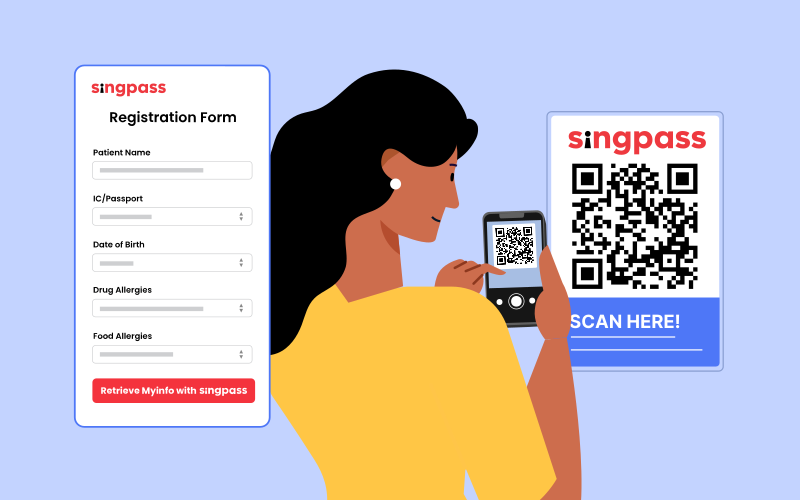
Accept Digital ICs using Singpass. Eliminate data entry for both patients and staff. Patients don’t like data entry - let them register automatically by submitting their verified biodata from Singpass and shorten wait times.
Online appointment booking grows your practice
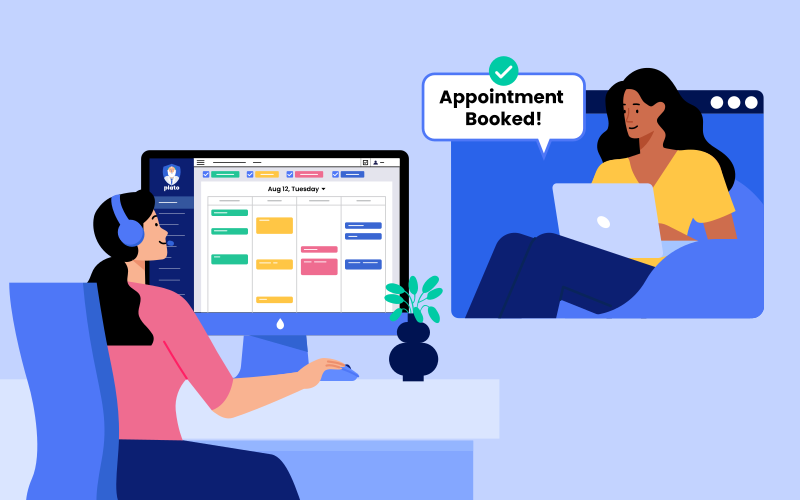
Let patients book appointments online and fill your schedule. Patients prefer booking appointments online to calling. Set rules - block slots, set appointment lengths, or hold patients’ credit cards on file to finalise bookings.
Build trust with digital consent forms

Upgrade to digital consent forms. Give patients time to review consent forms comfortably, so they understand the care they are going to receive, before giving their informed consent. Reduce work for staff by eliminating scanning.
Eliminate double data entry and reconciliation errors
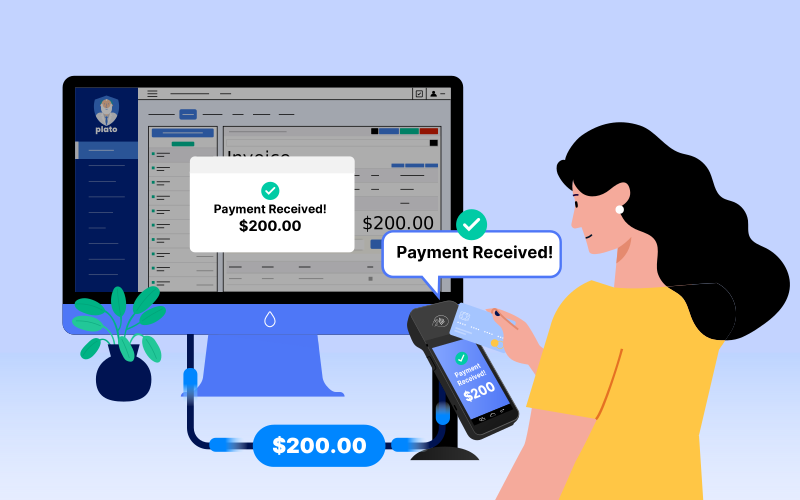
Set up your PlatoPay Terminal, eliminate double data entry and reduce day-end reconciliation headaches by controlling the PlatoPay Terminal, directly from your Plato. Transact exclusively through the PlatoPay Terminal to lower your domestic Visa and Mastercard rates to 2.1% + SGD 0.20¹.
¹PlatoPay Pricing: What are the charges for PlatoPay?In chapter 2, you’ll learn how to overcome the second common challenge clinics face - simplifying corporate billing.
CHAPTER 2
Simplify Corporate Billing

As a new clinic manager, one of your goals could be to bring in more patients by working with corporate entities, like hospitals, insurers, or third-party payors. Corporates tend to provide a reliable revenue source for your clinic. However, engaging corporates also comes with admin hurdles due to varying corporate billing requirements. For instance, how do you ensure patients are not sold items that can’t be claimed or are incorrectly priced? How do you create the various types of documents to speed up claims processing, or ensure every corporate bill is paid? By using Plato, you give your staff a comprehensive system they can use to manage corporate billing easily, saving your team time and effort.
In Chapter 2, you will learn:
Why Automate Corporate Billing in Plato - Manage the full corporate billing cycle in a system, simplifying work from invoicing to payment.
- Ensure every claim is submitted - Learn how to track claim submissions in Plato, so no item is missed.
- Ensure every bill is correct - Let Plato remember corporate billing rules, so you and your team don’t have to.
- Give corporates the correct documents - Meet the documentation requirements of hospitals, insurers, and third-party payors, ensuring claims are paid.
- Manage amended claims - Need to update an invoice? Plato helps you manage invoice amendments in two ways.
- Manage rejected claims - Help your patients easily settle their rejected claims from anywhere using “Card not Present” PlatoPay.
- Track and record corporate payments - Know what was paid by who and when in Plato, ensuring every bill is paid.
- Track corporate admin charges - Learn which corporates are ideal partners and get data to negotiate for lower admin fees.
- Track GST paid on corporate admin charges - Let Plato calculate GST paid on corporate admin charges, then deduct this from your clinic’s total GST submission.
Why Automate Corporate Billing in Plato
One of the first improvements you can make to your corporate billing process is managing it from within Plato. Plato is web-based - enabling your team to manage billing administration from anywhere, so your clinic space is prioritised for patient care. Beyond using your clinic space efficiently, you should use Plato’s automations fully to reduce work across the corporate billing cycle. Corporate billing automation eliminates up to 90% of data entry errors, speeding up time to payment (Meade, 2020). In chapter 2, you’ll discover the advantages of using Plato to manage your clinic’s corporate billing, starting with claim submissions.
1) Ensure every claim is submitted
Clinics deal with a high volume of claims. With so many small transactions occurring at any one time, how do you ensure every claim is submitted? Plato gives you a system to track the status of every claim, so no item is missed. Learn how to track pending claims and confirm claim submissions in Plato below.
Overview: How to track pending claims in Plato
- Track pending claims from Plato’s ‘Queue’. Your front desk uses a “Pending claim” Queue status to track claim submissions.
- Confirm claim submission using the “Ref” field. Your clinic’s backend then adds the claim reference number to the invoice’s "Ref" field.
- Finalise claim submission using Plato’s ‘Queue’. Your front desk updates the patient’s ‘Queue’ status to “Checked out”.
2) Ensure every bill is correct
Do your corporate partners often reject payments? Perhaps pricing on the submitted invoice is wrong, incorrect items have been dispensed in the invoice, or your corporate partner requires many changes to manage each bill. Corporates often require your clinic to follow certain billing rules, such as:
2.1) Discounts, special prices, or pricing schemes that differ from your clinic’s standard price list
Some corporates will negotiate to have your clinic charge its members differently to its standard prices. In Plato, you can update prices automatically for a category of items using “Discounts”, and “Special Prices” or “Pricing Schemes” for individual items.
- “Discounts” - Make a percentage increase or decrease to prices for categories of items.
- “Special Prices”- Change prices for individual items and upload these changes to corporate profiles.
- “Pricing Schemes” - Change prices for individual items. Multiple companies may share the same pricing scheme.
Help guide:
2.2) Restricting specific items from being dispensed to patients
Some corporate entities may refuse to cover certain items and don’t want these items on the invoices submitted to them. Plato remembers which items are restricted by which corporate entities, so your staff don’t have to. For example, If staff dispenses a restricted item to a patient, Plato will automatically remind your staff that the item is restricted by the corporate entity and prevent staff from finalising the bill.
2.3) General and patient-specific copayments
Corporates may fully or partially cover a patient’s bill. For the latter, a general copayment is applicable to all patients (e.g. Every patient must copay 10% of the bill). In some cases, a patient-specific copay is required. Instead of the general copay, the patient pays another amount (e.g. Patient A copays $30 instead of the general 10% copay). Plato lets you save general and patient-specific copayment rules, then automatically calculates the correct copayment amount for the patient, ensuring invoices are correct.
Help guide:
Set up general copay and patient-specific copay in Plato
2.4) Add specific data to invoices
Some corporates will want specific information included on each of your clinic’s invoices, such as payment instructions, terms and conditions, or reminders. When creating a corporate entity in Plato, you can add corporate-specific “Invoice Notes” to its profile, which will then be printed on all invoices for that specific corporate entity.
Help guide:
With so many different rules to follow, it’s easy for staff to forget all the billing do’s and don’ts. Leave it to Plato to accurately remember these billing rules, so you and your team don’t have to. Plato will automatically update invoices based on your setup saved under “Corporates” for special prices, pricing schemes, discounts, item restrictions, as well as general and patient-specific copayments.
3) Give corporates the correct documents
Submitting the correct documents to corporate partners could help ensure at least 80% of your clinic’s submitted claims get paid (Medical Economics, 2015). Corporates often take months to pay bills. You want to reduce time to payment, but don’t have the documents required to expedite payment. Plato lets you generate various types of invoices to meet the documentation requirements of hospitals, insurers, and third-party payors. For instance, you can generate a consolidated invoice detailing services rendered, or an individual invoice for every patient. Here’s an overview of the various types of statements and invoices you can generate in Plato, together with their use cases:
Types of Statements in Plato
| Statements | Use Cases |
| Statement | Consolidated statement showing total invoice amount billed to the corporate entity, and the total outstanding amount owed by the corporate within a chosen date range. |
| Table | Consolidated table showing claim reference numbers, so corporate can cross reference against their internal statement. Shows total invoice amount, invoice amount to corporate, and outstanding amount by corporate. More detailed than ‘Statement’ above. |
| Consolidated Invoice | Consolidated invoice used to claim for GST. Shows invoice notes, sub-total, GST, and total invoice amount. Does not show “Items”. |
| Consolidated Invoice (Summary) | Consolidated invoice summarised for when corporate does not need items to be specified (e.g. Medical Treatment - $50). |
| Consolidated Invoice (Full Details) | Fully detailed consolidated invoice for when corporate needs items specified in detail (e.g. Arcoxia 120MG - $50). You can control what details appear under ‘Print Settings’ in Plato. |
| Consolidated Invoice (Categorised) | Consolidated invoice for when corporate needs items displayed as categories (e.g. Consultation - $50, Medicine - $40, Procedure - $60, Others - $30). |
| Consolidated Receipt | Consolidated receipts for all payments made by the corporate entity. |
Types of Invoices in Plato
| Invoices | Use Cases |
| All Invoices | Prints all individual invoices billed to a corporate entity within a specified date range. |
| All Categorised Invoices | Prints each invoice within a chosen date range, itemised by category (e.g. Consultation, Medicine, Procedure, Others). |
| All Patient Invoices | Prints all invoices billed to each patient within a chosen date range. |
| All Patient Invoices (Summary) | Prints summarised version of “All Patient Invoices” (above) for when corporate doesn’t need items to be specified (e.g. Consultation - $50, Medicine - $40, Procedure - $60). |
| All Patient Invoices (Categorised) | Prints categorised version of “All Patient Invoices” (above) for when corporate needs items to be specified by category (e.g. Medicine - Arcoxia 120MG). |
Help guide:
4) Manage amended claims
Sometimes, despite a clinic’s best efforts, an error could be made while making a claim or a corporate could reject an item on an invoice. In such cases, the clinic may need to amend both their invoice and claim. There are two ways clinics can manage amended claims in Plato. The first is to issue a credit note. The second is to amend the original invoice. Here are each method’s strengths and weaknesses:
- Issue a credit note - Using credit notes to manage billing changes is an accounting best practice. Credit notes let you make revenue updates using a document you generate today, so past accounts don’t change. Many corporates are able to accept credit notes, but some may insist on receiving a revised invoice instead, so they don’t have to review an invoice and credit note submitted together. Staff may also find credit notes more complex to manage, due to the steps involved.
- Amend the original invoice - Amending an invoice often feels more straightforward to staff than issuing a credit note. Corporates may also request an original invoice be submitted to them with amendments - they want a consistent invoice number. Changing past invoices tends to cause difficulty for accountants, particularly if an amended invoice is part of accounts that have already been closed. Help your accountant track all updates made to past invoices by recording changes under “Invoice Notes”. Clinics should only open access restrictions to trusted staff to amend claims when needed - this prevents misuse or unauthorised access to your clinic’s data and processes. By default, Plato does not allow staff to amend past invoices.
Overview: Two Ways to Amend Claims in Plato
Issue a credit note
✅ Tracks revenue updates today, so past closed accounts are not changed
✅ Ensures your clinic’s accountant is updated on any invoice changes
❌ Involves more steps
❌ Corporates might not accept this method if they require the original invoice to process claims
Update the original invoice
✅ Involves fewer steps
❌ Need to manually track invoice updates by adding ‘Invoices Notes’
❌ Clinics are advised to open access restrictions to trusted staff to amend claims only as and when needed, so as to prevent misuse/unauthorised access to your clinic’s data and processes. By default, Plato does not allow staff to amend past invoices.
Help guide:
Manage amended claims and set up access restrictions in Plato
5) Manage rejected claims
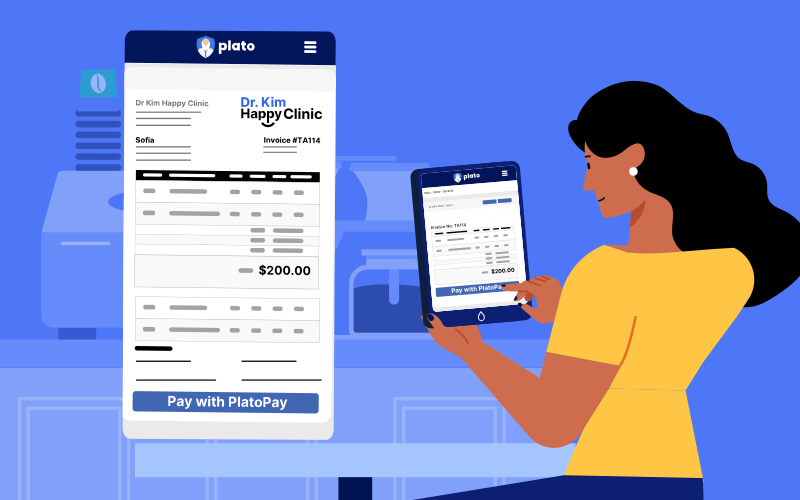
Despite your clinic’s best efforts, claims may get rejected by a corporate entity. The outstanding amount is then billed to the patient, who has to settle their rejected claim. Patients find it inconvenient to return to the clinic to pay, delaying settlement and potentially creating bad debt. Speed up settlement by letting patients clear their rejected claims remotely using “Card not Present” PlatoPay. Hold your patients’ credit cards on file for free using “Card not Present” PlatoPay, then initiate authorised payments with the click of a button.
If a bill size is large, clinics can help patients manage payment by breaking the bill into smaller, recurring invoices. Set up automated recurring invoices in Plato, which the patient can then clear at regular intervals using “Card not Present” PlatoPay.
Help guide:
How to use “Card not Present” PlatoPay to manage rejected claims and set up automated recurring invoices
6) Track and record corporate payments
Often, corporates take a long time to clear an invoice, pay partially, or miss a payment. By tracking payments, you ensure every bill is paid. If you track payments outside of Plato, you lack a proper system to record what was paid and when, making it easy to miss items. Plato gives you an organised system to track payments easily. Ensure every bill is paid using Plato, and even clear paid invoices individually or in bulk using Plato’s help guides below, saving time.
Help guide:
In Plato, track payments and record payments individually or in bulk.
7) Track corporate admin charges
Different corporates charge different admin fees for processing payments. Plato lets you track corporate admin charges directly on the platform, so you get insights into which corporates are ideal partners and generate the data you need to negotiate for lower admin fees with corporate partners. Learn how to track corporate admin charges in Plato using the help guide below.
Help guide:
8) Track GST paid on admin charges
GST paid on your clinic’s corporate admin fees should be deducted from your total GST submission. When you track corporate admin charges in Plato, the platform will automatically calculate GST paid on these admin charges, which you can then track in Plato’s “Corporate Admin Charges Report”. Use the help guide below to start tracking GST paid on corporate admin fees in Plato.
Help guide:
In chapter 3, you’ll learn how to overcome the third common challenge clinics face - using structured workflows to drive value-based care.
CHAPTER 3
Use Structured Workflows to Deliver Value-Based Care

Does your clinic team miss out key steps and data when delivering care? Without structured workflows as a guide, staff will process patients based on inconsistent standards of care. As a new clinic manager, you want to grow the business by using structured workflows to standardise processes. Standardisation brings uniformity to your clinic’s operations, reducing costs, increasing competitiveness, and making it easy to replicate processes for scale (Knowledge@Wharton, 2013). For example, a triage checklist ensures no step or instruction is missed when first evaluating a patient. When staff follow a triage checklist to collect uniform data and cover the same steps, your triage process is consistent, no matter which team member performs the process.
Structured workflows also help your clinic negotiate better deals with corporate partners. Corporates are always looking to cut costs - but you’re looking to get paid fairly. So how can you show your clinic is generating savings for a third-party payor or insurer, without lowering fees? Generate data that proves your clinic delivers better patient outcomes at a lower cost - in other words, value-based care. With consistent workflows, you can pull structured data from your EMR to evaluate the impact of your clinic’s treatments on different patient groups. If the data shows that your clinic delivers value-based care, your clinic generates the leverage it needs to negotiate better contracts with corporate entities.
In Chapter 3, you will learn:
- Why Build Structured Workflows? - Standardisation ensures no care step/instruction is missed, improving consistency and saving time.
- How to Build a Triage Form in Plato - Start structuring workflows at your clinic by setting up your first triage template in three easy steps.
- Deliver Value-Based Care, Starting with Structured Workflows - Collect structured data to negotiate for better deals with corporates and create competitive advantage through value-based care.
Why Build Structured Workflows?
Imagine you’re the nurse manager of a joint pain clinic. You want to structure and standardise your clinic’s triaging, so all staff collect the required data and cover key steps for every patient. To do so, you create a triage template in Plato using its form builder. The template includes a checklist that staff can follow and use to collect data at triaging. You build this template once, which your team can now use a thousand times. Since Plato automates work during form filling, staff collect data more quickly, reducing patient wait times and speeding up the triaging process.
Benefits of using structured forms in Plato:
- Save time by reducing data entry. Plato prefills patient details and enables quick text selections via dropdowns, checkboxes, and code searches, minimising data entry for staff and speeding up processes.
- Minimise medical errors. Give staff checklists they can follow, ensuring vital steps are covered and key data is collected. Prevent medical errors from occurring due to incorrect or incomplete data.
- Improve provider-patient communication. Staff are clear on what data to collect from patients, minimising back and forth between patients and providers.
- Build patient trust through consistent care. Structured workflows give staff clarity on what steps to take and allows them to deliver quality care consistently, giving patients the impression that your clinic is well-run and increasing their trust in your practice.
- Deliver value-based care. Push the data collected from your structured forms in Plato to a Business Intelligence connector such as PowerBI, Tableau, Qlik, or Mode. Generate the insights you need to drive value-based care, giving your clinic a strategic advantage and helping you win better contracts with corporate entities.
Start using structured workflows at your practice by setting up your first triage template in Plato in three easy steps.
Building a Triage Form is Easy in Plato
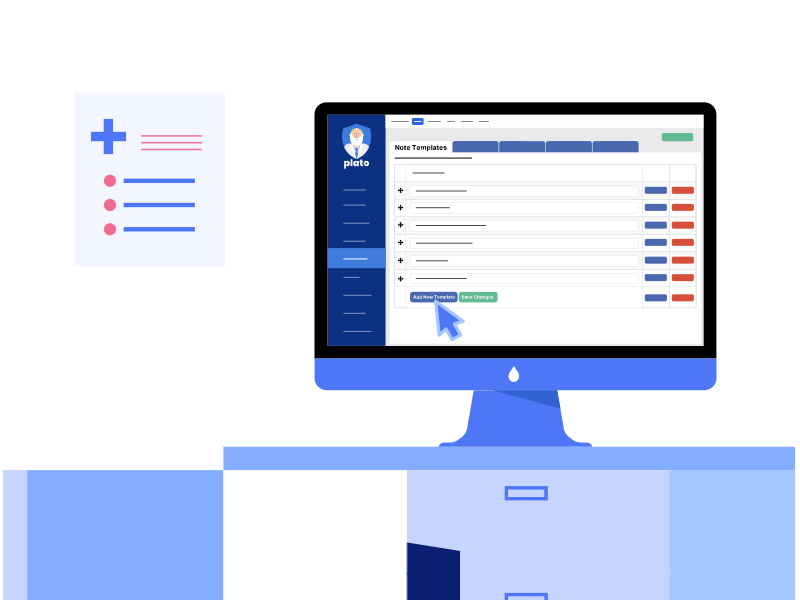
Step 1: Set up your triage template in Plato.
Create your triage template once and use it an infinite number of times. At any time, you can edit or remove the template, depending on your clinic’s requirements.
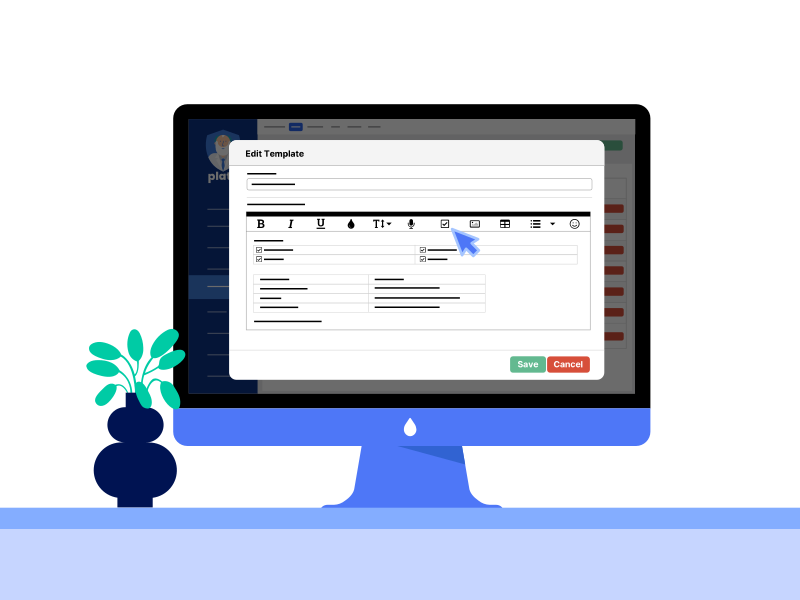
Step 2: Build your template easily in Plato.
Use autofill legends and build forms to minimise data entry. Legends pre-fill data when you use the template. E.g. Plato automatically replaces the legend ‘%patient%’ with the patient’s name. Forms let you input data quickly. E.g. Choose text from dropdowns and checkboxes, or pull up ICD-10-AM, SDD, and TOSP codes.

Step 3: Fill up your triage form quickly in Plato.
At triaging, pull up your triage template to collect key data easily and speed up documentation. Once done, save the completed triage form directly to your patient’s casenotes in Plato.
Deliver Value-Based Care, Starting with Structured Workflows
After experiencing the benefits of using a triage template in Plato, you decide to introduce structured workflows to other areas of your clinic, like treatments, so your clinic can drive value-based care.

What is Value-Based Care?
Unlike conventional volume-based care that focuses on delivering health services, value-based care emphasises delivering best patient outcomes at lower cost. Value-based care looks at the entire patient journey - from diagnosis and treatment to after-care and prevention. To successfully implement value-based care, healthcare providers must collect quality structured data to monitor patient outcomes, allocate resources, set budgets, and coordinate care.
You start by building forms in Plato, then collecting structured data on patient outcomes from surgical and non-surgical treatments. You pull the data collected into one of the Business Intelligence connectors in Plato to generate value-based care insights. From the data analysis, you learn that non-surgical care is not only more cost-friendly, but also significantly reduces joint pain and improves joint function in more than 50% of your patients, just six months after their first visit.
You take this data to your corporate partner. Having concrete data that proves your clinic delivers better care outcomes at a lower cost gives your clinic leverage for negotiation, helping you win a better contract and more patients from your corporate partner.
Why Deliver Value-Based Care?
“First movers [into value-based care] will benefit from considerable competitive advantages - access to the best data and information, to the best candidates for partnership, and ultimately to faster learning and innovation - that latecomers will be hard-pressed to replicate.”
Value-based care clinics enjoy a strategic business advantage thanks to their emphasis on data. Instead of relying on intuition, value-based care clinics look to logical and concrete information to make better business decisions with confidence. In a survey of over 1,000 senior executives, data-driven organisations were found to be three times more likely to report major improvements in decision-making (Stobierski, 2019). Further, 83% of executives from top-performing healthcare organisations in the US consider business intelligence and analytics as their top priority to stay competitive (Cortada et al., 2012).
Data empowers value-based care clinics to not only deliver enhanced patient outcomes, but also improve their clinic’s performance (Aetna, 2019). For example, value-based care clinics analyse data to better understand which treatments work best on different patient types, identify gaps in care delivery, accurately assess and mitigate risk, and even precisely predict surgical complications, ultimately improving patient outcomes at a lower cost (SGH, 2019). In Plato, data collected through structured forms can be mined using a Business Intelligence connector in Plato - such as PowerBI, Tableau, Qlik, or Mode - to generate the value-based care analytics that your clinic needs to build a sustainable competitive advantage.
Examples of forms you can build in Plato to drive value-based care include:
Excel with Plato
Thank you for reading Plato’s white paper, we hope you’ve enjoyed “Succeed as a Clinic Manager” by Plato. Excel as a clinic manager - only with Plato. Learn how to quickly add value to your clinic, by setting up Plato’s high impact automations presented in this white paper, using Plato’s help guides below:
From Chapter 1
Eliminate physical touch points between your clinic team and patients, while automating as much work as possible using best practices.
From Chapter 2
Manage your full corporate billing cycle in Plato, simplifying work for your clinic team, from invoicing to payment.
From Chapter 3
Using Structured Workflows to Deliver Value-Based Care
Structure your clinic workflows, implement value-based care, and ultimately improve patient outcomes and treatment costs.
References
Accenture. (2019). Digital Health Consumer Survey. https://www.accenture.com/_acnmedia/pdf-102/accenture-digital-health-consumer-survey-singapore.pdf
Aetna. (2019). What is Value-Based Care, How it Works & Benefits. https://www.aetna.com/employers-organizations/resources/value-based-care.html
Clawson, J., Lawyer, P., Schweizer, C., & Larsson, S. (2014). Competing on Outcomes: Winning Strategies for Value-Based Health Care. BCG Global. https://www.bcg.com/publications/2014/health-care-payers-providers-biopharma-competing-on-outcomes-winning-strategies-for-value-based-health-care
Cortada, J. W., Gordon, D., & Lenihan, B. (2012). The value of analytics in healthcare. IBM Global Business Services. https://www.ibm.com/downloads/cas/NJA9K0DV#:~:text= Using%20analytics%20to%20gain%20better,can%20improve%20effectiveness%20and%20efficiency.
Covetrus. (2019). How much is non-integrated payment processing costing your practice? Covetrus. https://software.covetrus.com/veterinary-insights/blog/client-solutions/save-time-with-integrated-veterinary-payment-processing/
Healthgrades. (2016). New Healthgrades Research Explores Consumer Perceptions of Scheduling Appointments with Physicians Online. Business Wire. https://www.businesswire.com/news/home/20161219006114/en/New-Healthgrades-Research-Explores-Consumer-Perceptions-of-Scheduling-Appointments-with-Physicians-Online
Hedges, L. (2021). Online Booking Options Can Get You More Clients. GetApp. https://www.getapp.com/resources/research-online-booking-importance-of-appointment-scheduling/
HotDoc. (2020). How Comfortable Are Patients With Digital New Patient Forms?https://practices.hotdoc.com.au/blog/digital-new-patient-registration-forms/
Knowledge@Wharton. (2013). Why Companies are Increasingly Moving towards Standardization. https://knowledge.wharton.upenn.edu/wp-content/uploads/KW_Wipro_Future_of_Industry_Anand_Sankaran.pdf
Landro, L. (2008). Consent Forms That Patients Can Understand. WSJ. https://www.wsj.com/articles/SB120224055435844931
Mcmillan, J. (2020). COMPARISON OF IN ARISON OF INTERACTIVE ELEC TIVE ELECTRONIC VERSUS TRONIC VERSUS STANDARD DOCUMEN ARD DOCUMENT METHOD FOR OB THOD FOR OBTAINING P AINING PATIENT INFORMED CONSENT. UTHealth School of Public Health. https://digitalcommons.library.tmc.edu/cgi/viewcontent.cgi?article=1155&context=uthsph_dissertsopen
Meade, M. (2020). Top accounting software statistics (2020 research). Software Path. https://softwarepath.com/guides/accounting-statistics
Medical Economics. (2015). Improve the claims management process: Preventing payer denials. https://www.medicaleconomics.com/view/improve-claims-management-process-preventing-payer-denials
SGH. (2019). Data is king. Singapore General Hospital. https://www.sgh.com.sg/news/tomorrows-medicine/data-is-king#
Simon, C. M., Schartz, H. A., Rosenthal, G. E., Eisenstein, E. L., & Klein, D. W. (2018). Perspectives on Electronic Informed Consent From Patients Underrepresented in Research in the United States: A Focus Group Study. Journal of Empirical Research on Human Research Ethics, 13(4), 338–348. https://pubmed.ncbi.nlm.nih.gov/29790410/
Stobierski, T. (2019). The Advantages of Data-Driven Decision-Making | HBS Online. Harvard Business School Online’s Business Insights Blog. https://online.hbs.edu/blog/post/data-driven-decision-making
Syed, S. (2022). Is your practice’s digital front door making the right impression? Dental Economics. https://www.dentaleconomics.com/practice/article/14213408/automation-is-driving-the-next-dentistry-revolution
Zhao, P., Yoo, I., Lavoie, J., Lavoie, B. J., & Simoes, E. (2017). Web-Based Medical Appointment Systems: A Systematic Review. Journal of Medical Internet Research, 19(4), e134. https://www.jmir.org/2017/4/e134/